

Proarc-Engineering-Document-Management-System-header

Engineering Document
Management Software
for Projects &
Operations

Request a Demo

Proarc-Logo-Positive

What is Proarc EDMS?

Proarc is document management software for major capital projects that need more than document storage. Purpose-built for engineering document control, Proarc helps projects control, govern, review, approve, and collaborate on project documentation across the full asset lifecycle.

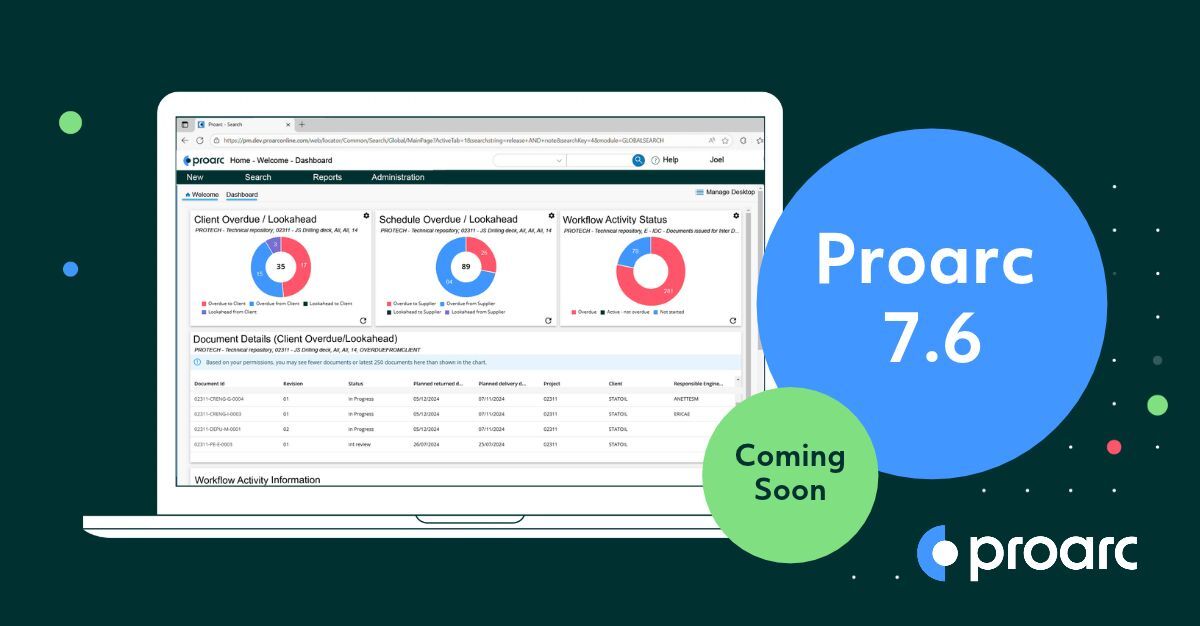
Proarc Engineering Document Management Software Dashboard

Major capital projects require document control

Who uses Proarc EDMS?

Trusted by project teams for more than 30 years, Proarc helps EPCs, owner/operators, contractors, and suppliers govern and collaborate on critical project information across the full asset lifecycle, creating a secure and traceable foundation for project delivery.

  • EPCs
  • Owner/operators
  • Contractors
  • Suppliers
  • Document controllers
  • Engineering teams
  • Project managers
  • Compliance and quality teams

What problems does Proarc EDMS Solve?

  • Team members use incorrect information or the wrong versions of documents causing errors that lead to costly rework, claims, and disputes
  • Review and approval workflows slow projects down
  • Project documents cannot be tracked - there is no proof as to what happened to the document, who approved it, when it changed or what was delivered.
  • Document control is too complex for generic document management tools

  • Handover is a scramble because documentation is incomplete, inconsistent, or hard to verify
  • To collaborate, users create uncontrolled copies outside the official EDMS
  • Existing EDMS is hard to use, heavily customized, and not supporting the project's growth
  • Projects cannot trust AI-generated insights because their source of information is uncontrolled or unreliable


Engineer managing an engineering document in Proarc EDMS


What benefits do major projects get from Proarc Engineering Document Management Software?
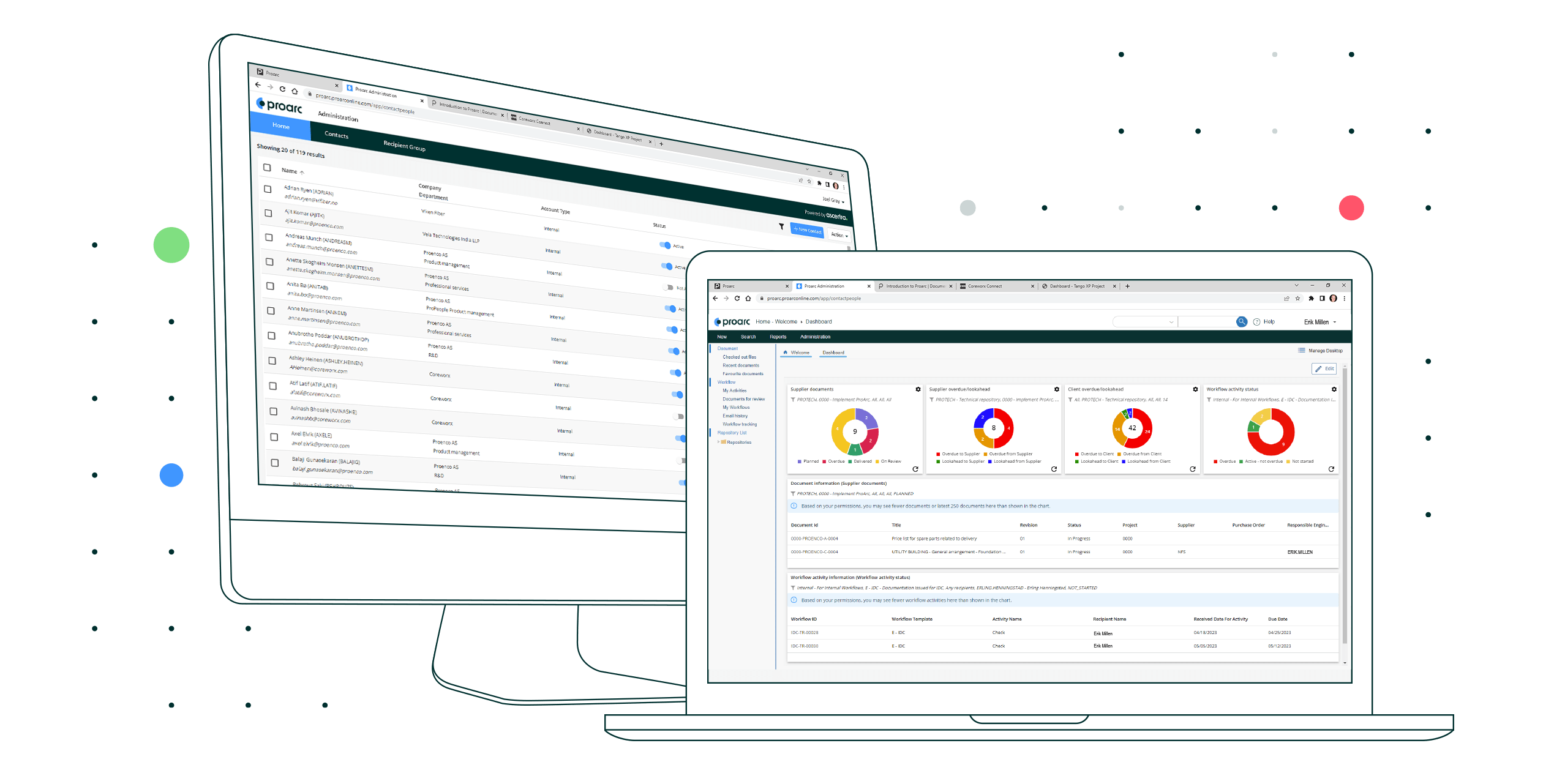
Proarc Engineering Document Management Software Dashboards
      • Improved information quality


    • Stronger compliance to policies & standards


    • Faster document review cycles


    • Reduced errors and rework


    • Reliable handover packages


  • Fewer claims and disputes

Why do projects choose Proarc?

Proarc is purpose-built for the demands of major capital projects, where thousands of documents must be created, reviewed, approved, revised, transmitted, and handed over with full traceability. Unlike generic document storage platforms, Proarc is designed around the governance, workflows, metadata, and audit requirements of engineering project delivery.

  • Purpose-built for complex project environments and highly regulated industries
  • Flexible, scalable, and configurable
  • Designed with control, security, and trust at its core 
  • Trusted by the industry for more than 30 years
  • Supports document control best practices
  • Provides governance and traceability across the document lifecycle
  • Enables secure collaboration with internal and external stakeholders
  • Helps create the trusted information foundation needed for AI capabilities

Built for documents, process, and progress


Proarc EDMS helps teams manage documents across their full lifecycle, from initial requirements and project execution through handover and operations. Proarc provides a reliable source of truth for technical information, improving document retrieval, traceability, collaboration, and delivery. With integrated document control and workflow capabilities, teams can stay on schedule at each milestone, support operational readiness, and remain audit-ready at any time.
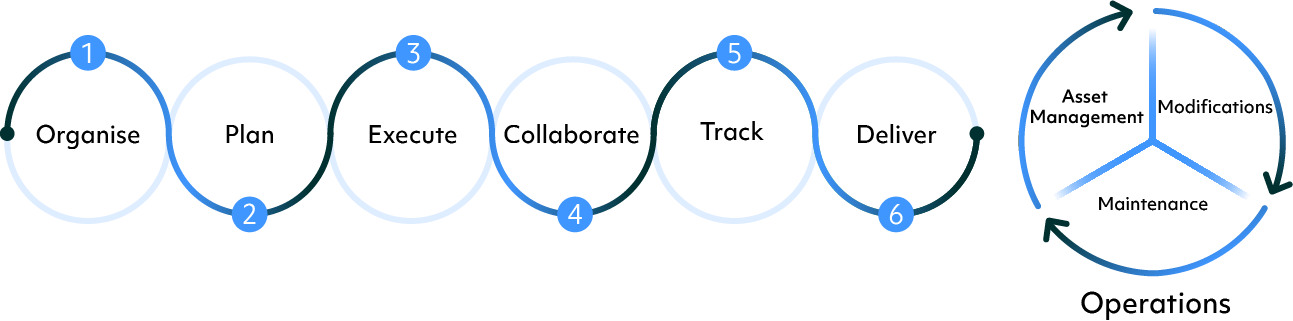
Proarc EDMS and the Project Document Management Lifecycle

What are the key capabilities of Proarc EDMS?


Proarc Engineering Document Management Software offers standard platform and optional add-on features, allowing you to configure your system to your needs.

Document Management Fundamentals

Central access to repositories for project and operational documents and related data. Change management with advanced revision control and access to historical revisions. Detailed audit records for each action and event in the system, from document status changes to workflow assignments, electronic signatures and file downloads. Support for document control processes to validate, review, approve, track, and distribute documents.

Flexible Metadata Coding & Numbering

Flexible configuration features to define metadata rules for numbering, classification and validation. Multiple metadata layouts for each repository make it easy for users to find information using tailored views. Standard classification templates such as NORSOK to align with industry practices. 

AutoCAD File Reference Management

Automation to protect integrity of multi-part AutoCAD files and revisions. Master-dependent file relationships to ensure accurate links throughout the lifecycle, supporting check-in and out, workflow assignments, collaboration activities, transmittal, and handover.

File Authoring & Office Support

Consistent document creation process using predefined templates with data merge, and automatic updates. Integration with Microsoft Office 365 for authoring and editing documents.

Efficient Document Searching

AI-powered full-text and metadata searches to quickly find the right documents. Semantic ranking and personalized experiences provide familiarity, relevance, and efficiency to users. 

Bulk Import & Export

Flexible import and export of files and metadata. Rules for handling revision-level attributes and files, data validation, import and export layout definitions. Scheduling and automation for watched folders.

PDF Conversion

Convert or merge files to PDF from multiple file formats based on configurable rules and triggers.

Bulk Copy & Paste 

Proarc supports bulk copy and paste of document numbers from search document lists to a workflow document list.

Outbound Transmittal & Comment Sheets

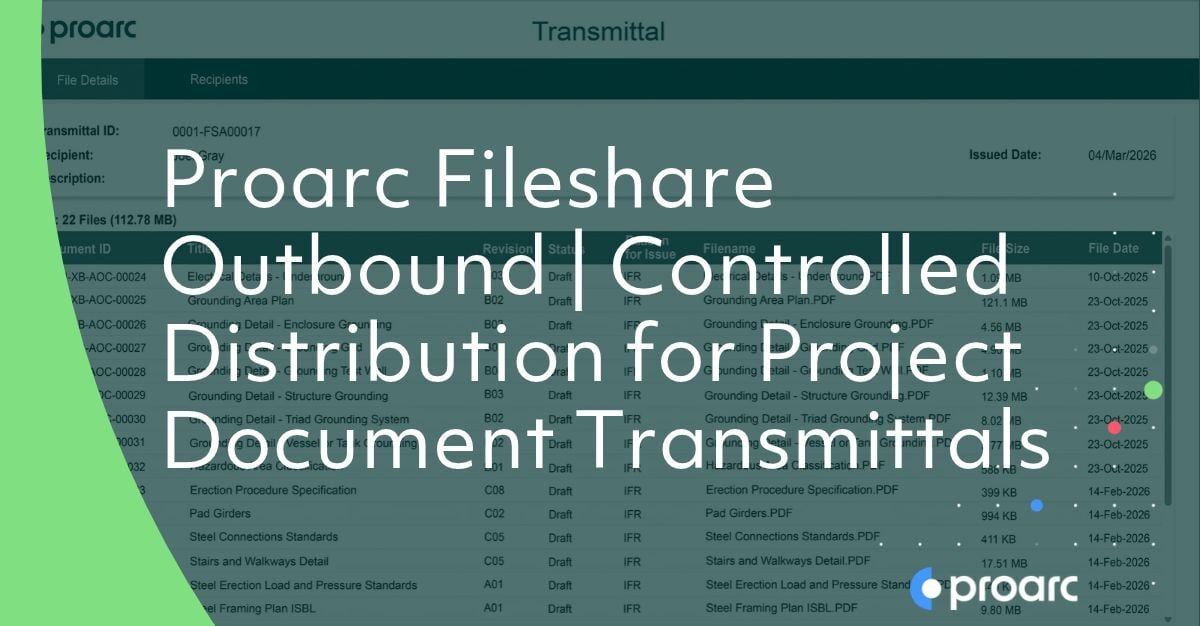
Process support for collecting, organizing, validating, and distributing outgoing documents. Automated generation of PDF comment sheets and transmittal cover sheets.

Mass Export

One-click generation of a set of documents, including all related files and metadata, that can be shared outside of Proarc. Configurable templates are provided for defining export locations and layouts. 

Handover

Tools for collection, output, and formatting of information packages for handover to clients. Publishing to offline web document catalogs including categorization and table of contents.

Advanced Search Queries

Criteria built using operators, parameters, and nested grouping to generate specific lists of document profiles. Streamlines the location of information users search for in EDMS.

Detachable Document Profiles

Simplified comparison of document profiles and file copying across document profiles, revisions, and document profile levels with drag-and-drop functionality.

Packages

Developing, approving, issuing, and tracking completion of packages of document deliverables.

Bulk Allocation

Pre-allocate document profiles and numbers prior to creation of documents. Link to packages for planning and tracking.

Milestones & Rules of Credit

Define milestones and link them to document status values, workflow events, or other criteria. Define milestone chains and assign percentage completion for each milestone achievement.

Progress Monitoring

Calculate progress based on milestone achievement, document packages and weights. View planned, forecasted, and actual completion dates and percentages. Visualize progress using charts and graphs.

Packages Replanning

Link plans to actual completion dates from Proarc workflow. Automatically update the plan with new due dates based on actual completion date.

Integration

Integrate with third-party tools, such as Primavera P6, Safran and Microsoft Project. Aggregate document progress for document packages and export for more accurate picture of progress in your third-party planning tool.

Dashboards & Reports

Real-time summary and KPI reports provide transparency, accountability, and actionable insights on document information, workflow progress, and user activities. Drill-down reports and widgets enable users to access a high-level view and drill down to underlying details.

Notifications & Alerts

Automated and event-driven alerts notify users when specified activities occur, potential issues arise, or auto-escalation dates and times have been reached.

Actioning & Expediting

Reports and workflow tools provide team members with full transparency to progress for manual action, while automation provides the ability to automate actions based on rules, such as auto-assigning a task to a different person when the task is past due.

Document History

Detailed document history provides users with information to help troubleshoot issues, take corrective action, and/or avoid future issues, such as claims.

Delivery Tracking

Tools to help ensure documents meet milestones and timelines. Actual document dates can be checked against planned document dates to highlight discrepancies.

Sharing with External Parties

Separate collaboration system in the Cloud for sharing documents with external parties. Synchronization with official document repositories to avoid uncontrolled copies.


Proarc Collaboration Room

Review & Approval

Automated workflows for distribution, review, and approval by external parties. Authorization matrix and recipient lists to subject matter experts based on document classifications, timing, and other policies. Templates for industry-accepted processes for interdisciplinary squad check, client document review, routing and notification.

Real-Time Commenting

Concurrent markups allow multiple users to add comments simultaneously while others add comments in real-time.


ProView Markup

Collaboration Room

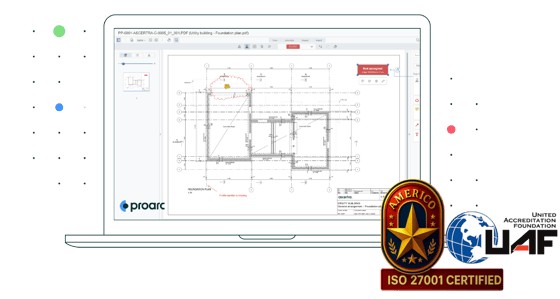
The Proarc Collaboration Room Add-on allows several users to work on specific documents and workflows on a separate cloud-based platform that synchronizes document information in real-time with Proarc Online. 


Collaboration Room Details

Mobile

The Mobile Add-on supports users who need access from areas with offline or low-bandwidth connections (e.g., in a mine or on a ship).


Mobile Details

Copy Documents

The Copy Documents Add-on increases the efficiency of batch file copy operations for power users.


Planning

The Planning Add-on provides document progress measurement using milestones and configurable rules of credit. 


Planning Details

Document Organizer 

The Document Organizer Add-on provides efficient and complete document handover, mitigating the time-intensive and error-prone process of manual compilation of accurate documentation. 


Document Organizer Details

ProView

The ProView Add-on provides improved productivity and review quality for teams while reducing potential cost and collaboration risk, with the help of ProView PDF Converter, ProView Viewer, ProView Markup, and ProView Comment Sheets.  


ProView Details

Drawing File Management 

The Drawing File Management Add-on effectively manages AutoCAD files and revisions, mitigating costly errors caused by out-of-sync files during check-in/out or handover. 


Drawing File Management Details

Web API

The Web API Add-on enables the integration of Proarc EDMS documents and data.  


Web API Details

Malware Scanning Package

The Proarc Online Malware Scanning Package protects your EDMS from malicious content using Microsoft Defender Antivirus capabilities.


Malware Scanning Package Details

Download Proarc EDMS Brochure

Download Proarc EDMS Brochure

Proarc Online Platform 


The Proarc Online platform ensures reliability, security, and performance by leveraging the following:


  • Mature, secure, and scalable online services & applications
  • Enterprise-grade hardware, network, and storage
  • Infrastructure services for performance optimization, monitoring, disaster recovery, and security against attacks 
  • Detailed audit logging, policy governance, and workflow-driven compliance to processes
  • Cloud Service Provider (CSP), Microsoft Azure, with the largest compliance portfolio, including ISO 27001, SOC2, and CSA Star 

Proarc Online Platform 


The Proarc Online platform ensures reliability, security, and performance by leveraging the following:


  • Mature, secure, and scalable online services & applications
  • Enterprise-grade hardware, network, and storage
  • Infrastructure services for performance optimization, monitoring, disaster recovery, and security against attacks 
  • Detailed audit logging, policy governance, and workflow-driven compliance to processes
  • ISO 27001 certified management system 
  • Cloud Service Provider (CSP), Microsoft Azure, with the largest compliance portfolio, including ISO 27001, SOC2, and CSA Star 

Proarc Engineering Document Management Software - Engineering Document


Frequently Asked Questions

Ready to get control of your project documents, reduce errors, and improve project quality?
Speak to one of our engineering document management software experts to learn how you can get started.
Request a Demo

Document Control 101

Looking to discover how document control and document management can reduce project risk and ensure compliance across teams? Or maybe you want to know how to guarantee every stakeholder has access to the right version of the right document when they need it?

If so, be sure to check out our Document Control 101 page. Whether you're just starting to implement a system or optimizing your current practices, we have the resources to help you streamline collaboration, improve traceability, and drive project success! 

Release 7.5 FP3
Modern UI, AI Search, and more


We're excited to announce that Proarc 7.5 Feature Pack 3 is now available for Proarc users. This new release delivers practical improvements across document management, planning, and product support, and also helps achieve an initial milestone for an improved user experience. Learn more about our latest update in our blog.